
Download PostMaker – AI‑Powered Carousel Creator for Social Media
Overview
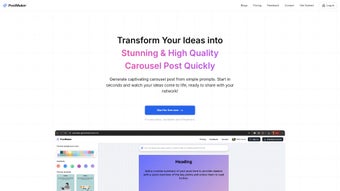
PostMaker is a cloud‑based, AI‑driven design tool that transforms raw text, URLs, or simple topics into fully‑formatted carousel posts ready for Instagram, LinkedIn, Facebook, and other visual platforms. The service eliminates the repetitive manual work that traditionally bogs down marketers, educators, and influencers, letting users focus on storytelling while the AI handles layout, typography, color harmony, and visual hierarchy. With a clean, browser‑only interface, PostMaker requires no installation, no steep learning curve, and no expensive desktop software.
Users simply sign up, paste their content, pick a template, and watch the AI generate a series of slides in seconds. Every carousel can be customized—logos, brand colors, fonts, and call‑to‑action buttons can be swapped in real time, ensuring each output aligns perfectly with a brand’s visual identity. Finished assets are downloadable as high‑resolution PNG, JPEG, or print‑ready PDF files, making the tool suitable for both digital publishing and offline presentations.
The platform also offers secure cloud storage, two‑factor authentication, and encrypted data transfer, guaranteeing that sensitive brand assets stay protected. Whether you need a product launch carousel, a quick educational summary, or a storytelling sequence to boost engagement, PostMaker delivers a fast, secure, and cost‑effective solution that scales from solo creators to large marketing teams.
Features, Installation & Compatibility
Key Features & Customization
- AI‑Generated Layouts – Convert paragraphs or URLs into multi‑slide designs instantly.
- Template Library – Over 60 professionally designed templates for marketing, education, and storytelling.
- Brand Integration – Upload logos, set brand colors, and choose fonts to maintain visual consistency.
- Slide Count Control – Choose from 2 to 12 slides, with drag‑and‑drop reordering.
- Live Preview – Real‑time editing of text, images, and button placements.
- Export Options – PNG, JPEG, and PDF with DPI settings for web (72 dpi) or print (300 dpi).
- Collaboration Mode – Secure share links for team feedback without exposing login credentials.
- Content Suggestions – AI‑driven hashtags, captions, and engagement prompts.
- Multi‑Platform Optimization – Auto‑adjusted dimensions for Instagram, LinkedIn, Facebook, and TikTok.
- Secure Cloud Storage – Encrypted project files accessible from any device.
Installation & Usage Instructions
Because PostMaker is a SaaS platform, there is no traditional download or installation step. To begin, visit www.postmaker.io, click “Start Free,” and create an account using an email address or single‑sign‑on via Google or Microsoft. After email verification, the dashboard appears with a single “Create New Carousel” button. From there, follow these steps:
- Input Content: Paste a text block, upload a .txt/.docx file, or enter a URL. The AI begins parsing immediately.
- Select a Template: Browse the template gallery, preview each style, and apply the one that best matches your goal.
- Brand Customization: Upload your logo, define primary/secondary colors, and pick a font from the integrated Google Fonts library.
- Adjust Slides: Use the slide count slider, reorder slides via drag‑and‑drop, and edit any text block directly in the preview pane.
- Preview & Refine: Switch to full‑screen preview, replace placeholder images, or tweak spacing until the layout feels polished.
- Export & Share: Choose the desired file format, set resolution, and download. You can also generate a shareable link for teammates or embed the carousel into scheduling tools.
Compatibility
PostMaker runs in modern browsers (Chrome, Edge, Firefox, Safari) on Windows 10/11, macOS Ventura or later, and most Linux distributions. Mobile browsers on iOS 14+ and Android 9+ are supported, though the full editing suite is optimized for desktop screens with a minimum resolution of 1280×800. All processing occurs on secure cloud servers, so an active internet connection is required for AI generation, while exported files are stored locally for offline use. HTTPS encryption, optional two‑factor authentication, and ISO‑27001‑compliant data centers ensure that your brand assets remain safe.
Pros, Cons & Frequently Asked Questions
Pros
- Instant AI generation reduces carousel creation time to under a minute.
- Extensive template library eliminates the need for external design resources.
- Full brand customization maintains visual identity across all slides.
- Multiple export formats support both digital publishing and print production.
- Cloud‑based collaboration streamlines team feedback without version conflicts.
- No software download; works on any modern OS and browser.
- Secure data handling with HTTPS, encryption, and two‑factor authentication.
- Free tier available for small creators, educators, and startups.
Cons
- AI may misinterpret highly technical or jargon‑heavy content, requiring manual tweaks.
- Internet connection is mandatory for AI processing; offline work is limited to post‑export editing.
- Advanced animations and custom interactive elements are not yet supported.
- Free plan adds a subtle watermark on exported images; removal requires a paid subscription.
Frequently Asked Questions
Is PostMaker really free to use?
Yes. The free tier allows up to five carousel projects per month with a small watermark. Unlimited, watermark‑free projects are available on the Pro plan starting at $9.99 / month.
Can I edit carousels on a mobile device?
The web app is responsive and works on iOS and Android browsers, but the full drag‑and‑drop editor is best experienced on a desktop with a larger screen.
Which file formats are supported for export?
You can download carousels as PNG, JPEG, or PDF. PDF exports include bleed marks and CMYK profiles for print‑ready output.
How secure is my data on PostMaker?
All data is transmitted over HTTPS, stored in encrypted cloud storage, and can be protected with optional two‑factor authentication.
Does PostMaker integrate with social media scheduling tools?
While direct publishing isn’t built‑in, you can download assets and upload them to platforms like Buffer, Hootsuite, or Later for scheduled posting.
PostMaker delivers a compelling mix of speed, design quality, and brand control that is rare in free carousel tools. While the AI occasionally needs a nudge for niche topics, the overall workflow is intuitive, and the export formats make it ready for any publishing channel. For marketers on a budget, the free tier offers enough functionality to test the concept, while the premium plan unlocks watermark‑free assets and priority AI processing. Overall, it’s a solid addition to any social media toolkit.
Conclusion & Call to Action
In today’s scroll‑heavy feeds, visual storytelling is the fastest route to audience engagement. PostMaker combines AI speed with deep brand customization, letting creators generate polished carousel posts in minutes instead of hours. The browser‑only approach removes barriers to entry, while secure cloud storage and two‑factor authentication keep your assets safe. Whether you’re a solo influencer, a small business, or a large marketing department, the free tier provides enough power to experiment, and the affordable Pro plan scales with your needs. The extensive template library, multi‑platform export options, and collaborative sharing features make PostMaker a versatile addition to any content workflow.
Ready to accelerate your carousel creation? Sign up for the free plan today and experience AI‑driven design without the hassle of downloads or expensive software licenses. Upgrade anytime for watermark‑free exports, priority processing, and unlimited projects. Start turning ideas into scroll‑stopping carousels with PostMaker now!



.png)



